SpeakEasyServer
A downloadable tool
SpeakEasyReports-PC Server tool
SpeakEasy Reports PC Server is the Windows companion app for SpeakEasy Reports on iPhone. It runs on your office or site PC and acts as the local server your phone syncs to over Wi‑Fi.
Use it when you want a simple, private setup: inspections stay on your network, reports are saved on your PC, and you can review, email, and organise projects from one desktop app.
What it does
• Runs a local report server on your PC (port 3001) so your iPhone can push inspection data over Wi‑Fi
• Connect iPhone in seconds — show a QR code; scan it with the iOS app to fill in the server address automatically
• Manage projects — view client name, site, date, and open full HTML reports
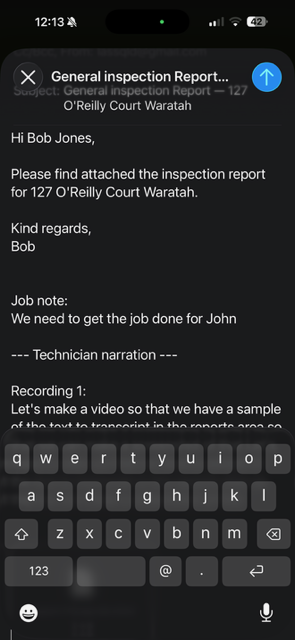
• Email reports — open your mail app with the report attached (choose your preferred email method in Settings)
• Customisable — dark/light theme, fullscreen on launch, custom reports save folder, inspector/company details for emails
• Firewall helper — first-run prompt to allow iPhone connections (with manual fallback if needed)
• Self-contained — Node.js and the API are bundled; end users only run the installer
What you need
PC- Windows 10 or 11 (64-bit) │
iPhone app-SpeakEasy Reports (iOS) — separate from this download
Network -PC and iPhone on the same Wi‑Fi
Other software-None (no Node.js install)
Typical workflow
1. Install SpeakEasy PC Server on your Windows PC
2. Launch the app and accept the firewall prompt when asked
3. Open Connect iPhone and scan the QR code with the iOS app
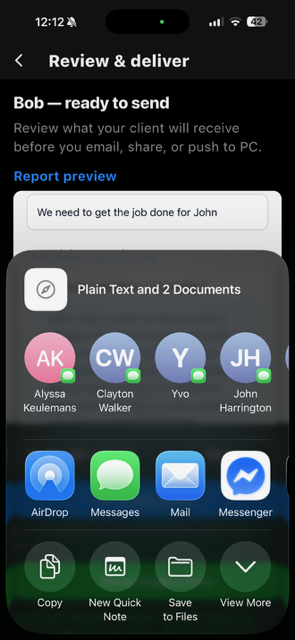
4. On the phone, complete an inspection and tap Push to PC
5. On the PC, open Projects to view the report, email it, or open the HTML file
Reports are stored in your user profile by default (%APPDATA%\speakeasy-pc-tool\reports). You can change the folder in Settings.
───
Features list (bullet format for itch.io)
• Windows desktop app with installer (no portable “tech” setup)
• Bundled API server — no separate Node.js install
• QR code pairing for iPhone (speakeasy://connect)
• Live PC address shown in the app (bottom-right)
• Projects list with search and date filter
• Report preview and open HTML
• Email draft with report attachment (multiple mail options in Settings)
• Push-to-PC sync from the iOS app
• Optional desktop shortcut and pin-to-taskbar during install
• First-run Windows Firewall assistance for port 3001
• Custom reports save location
• Inspector name, company, and email signature for client emails
Download
Install instructions
SpeakEasy Reports PC Server is a Windows app that runs a local inspection server for the SpeakEasy Reports iPhone app. Install once, allow firewall access, scan a QR code to pair your phone, then receive and manage inspection reports on your PC — email, preview, and organise projects without installing Node.js or other tools.